Why CPU Specs Are So Easy to Misread
Processor spec sheets are written for engineers and marketers - not for everyday buyers trying to figure out whether a laptop will feel fast. The numbers that get highlighted (core count, GHz, cache size) are real measurements, but they only tell part of the story. Without understanding what each figure actually measures - and what it doesn't - it's easy to draw conclusions that are confidently wrong.
This matters because CPU decisions affect every computer purchase, from a budget Chromebook to a high-end workstation. The myths below are the most persistent ones that lead buyers astray. For a broader look at how these misunderstandings extend to mobile devices, see our common myths about smartphone performance and the spec sheet traps marketers rely on.
Myth
More cores always means a faster, more powerful processor.
Fact
Core count only matters if the software you use is designed to distribute work across multiple cores simultaneously.
Most everyday software - web browsers, email clients, word processors, and even many games - is primarily single-threaded, meaning it runs its most critical instructions in sequence on one core at a time. A processor with eight fast cores may feel no quicker for these tasks than one with four fast cores. Applications that genuinely benefit from many cores include video encoding software, 3D rendering tools, and scientific simulations. For everyone else, a chip with fewer, faster-clocked cores often delivers a more responsive experience. When evaluating a processor, consider what software you actually run, not just what sounds impressive on a spec sheet.
Myth
A higher GHz clock speed means the processor is faster, full stop.
Fact
Clock speed is only a useful comparison within the same processor architecture and generation.
Clock speed - measured in gigahertz (GHz) - describes how many instruction cycles a chip completes per second. But different processor designs complete a different amount of useful work per cycle. This is called IPC, or instructions per clock. A chip from a newer generation may accomplish far more work per cycle than an older chip, even if its GHz number is lower. Comparing a 4.5 GHz chip from one era to a 3.8 GHz chip from a newer generation tells you almost nothing without knowing the underlying architecture. Real-world benchmarks that test identical tasks are far more informative than a raw GHz figure alone.
Myth
TDP (Thermal Design Power) tells you how much power the chip uses.
Fact
TDP is a thermal management specification, not a direct measure of typical power consumption.
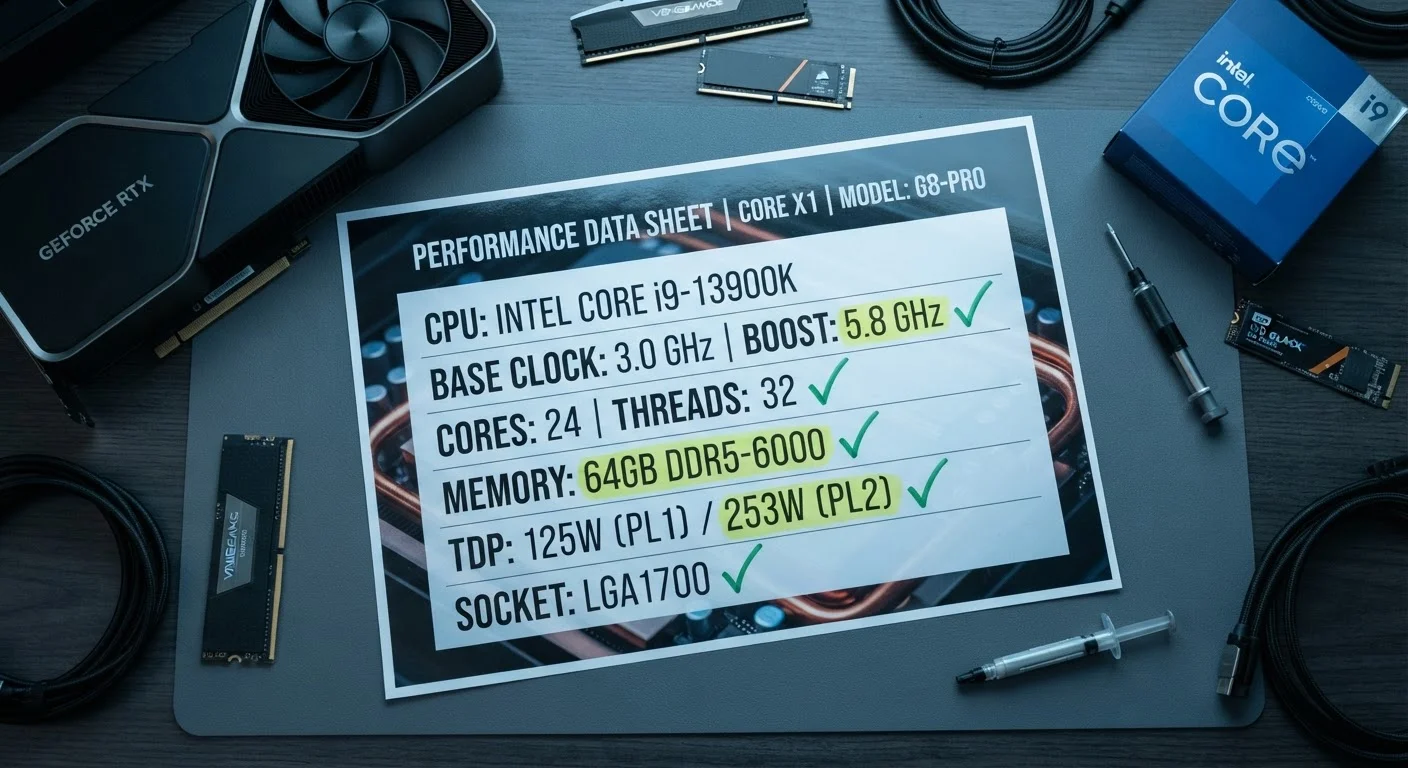
TDP (Thermal Design Power) is the number chip manufacturers provide to help system builders design adequate cooling solutions. It describes how much heat the processor generates under a standardized sustained load - not necessarily the peak power draw during a demanding workload spike, and not the idle consumption during light use. In practice, a chip may draw significantly more power than its rated TDP during short bursts, or far less during everyday tasks. TDP is useful for comparing chips within a product family, but it shouldn't be mistaken for a precise energy efficiency rating or a real-world power bill estimate.
Myth
The processor is almost always the bottleneck slowing your computer down.
Fact
For most everyday workloads, slow storage or insufficient RAM causes more noticeable slowdowns than the CPU.
Modern processors - even budget-tier chips - spend much of their time waiting for data from RAM or storage rather than actually computing. If a system uses a traditional spinning hard drive (HDD) instead of a solid-state drive (SSD), the storage bottleneck will dominate performance far more than CPU capability. Similarly, too little RAM forces the system to use storage as overflow memory, which is dramatically slower. Before assuming a CPU upgrade is needed, it's worth checking whether storage or memory is the limiting factor. As explained in our guide to RAM, storage, and processing speed, these components work together - no single spec determines the full picture.
Myth
A processor labeled for laptops is a cut-down, inferior version of the desktop chip.
Fact
Mobile processors use different design priorities - efficiency over raw peak throughput - and are purpose-built for their use case.
Laptop-class processors are engineered to balance performance with battery life and heat management within a thin chassis. They are not simply desktop chips with features removed. In many cases, the same chip family exists across desktop and mobile versions with meaningfully different power envelopes and cooling assumptions. A mobile chip may throttle peak performance to avoid overheating in a tight chassis, but it will also sustain that performance far more efficiently than a high-wattage desktop chip would in the same physical space. Judging a laptop chip by desktop benchmarks is the wrong comparison - what matters is sustained performance under realistic laptop conditions.
How to Actually Read a CPU Spec That Matters
Once the myths are cleared away, a more useful framework emerges. Instead of fixating on the biggest numbers, focus on these questions:
- What architecture generation is this chip? Newer generations almost always deliver better performance-per-watt than older ones, regardless of GHz.
- What does my software actually demand? Content creators and developers benefit from more cores; general users benefit more from fast single-core performance.
- What are the other components doing? A fast CPU paired with slow storage or too little RAM will still feel sluggish.
Real-world benchmarks that test tasks similar to your own workflow are far more reliable than any single spec number. Our beginner's map of PC components explains how each part of a system interacts. If your interest extends to mobile chips, how smartphone processors work covers the same principles applied to phones and tablets.
Don't Buy More Cores Than You Need
High core-count processors typically cost significantly more and can consume more power. If your primary tasks are email, video streaming, light document work, or casual gaming, a processor with fewer but faster cores will almost always feel snappier and waste less energy. Overspending on cores you won't use is one of the most common hardware purchasing mistakes.